
Trusted by 1.5 Cr+ Business Owners
E-Invoicing Software: Generate IRN & QR Code Instantly
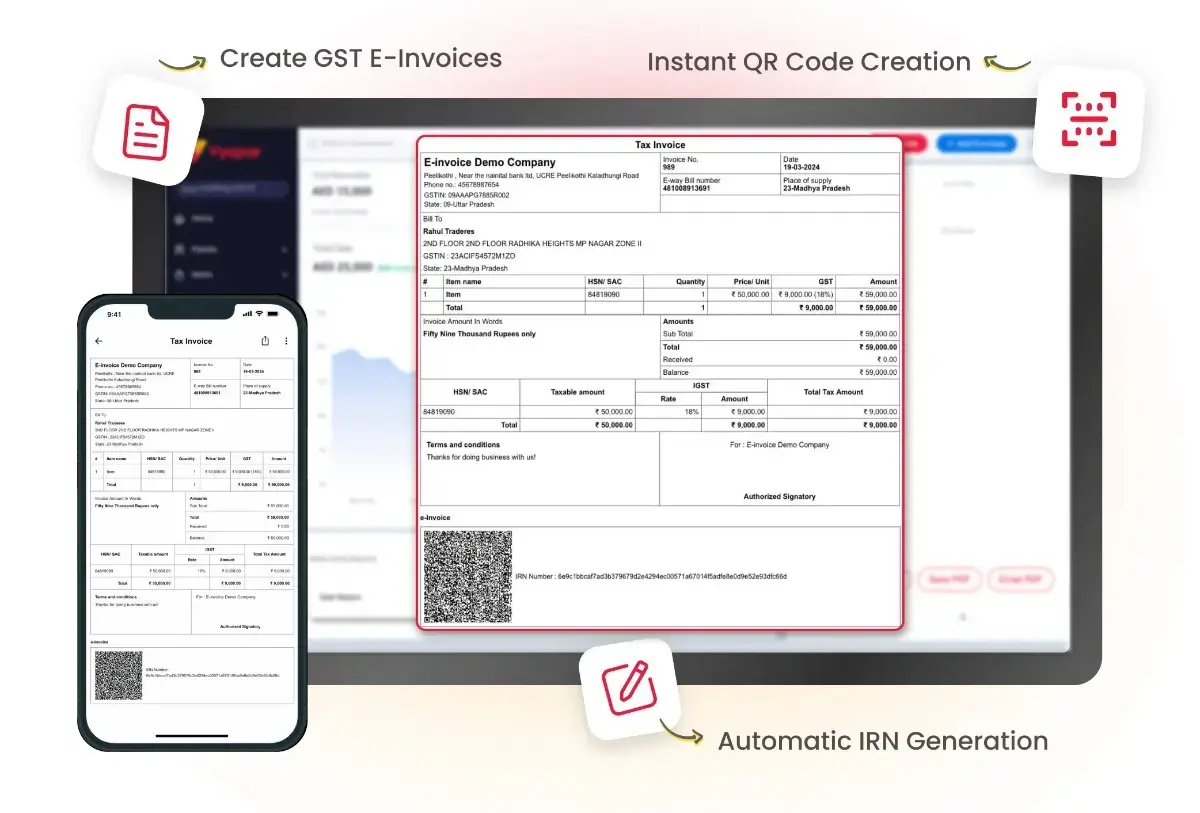
Vyapar is an e-invoicing software and electronic invoicing system for Indian businesses. Create your invoice, connect to the government Invoice Registration Portal (IRP) through a GSP, get the IRN and signed QR code added automatically, and generate e-way bills from the same screen.
Create E-Invoices
Automatic IRN Generation
Instant QR Code Creation
Key Features of Vyapar E-Invoicing Software
Auto Invoice Fetch
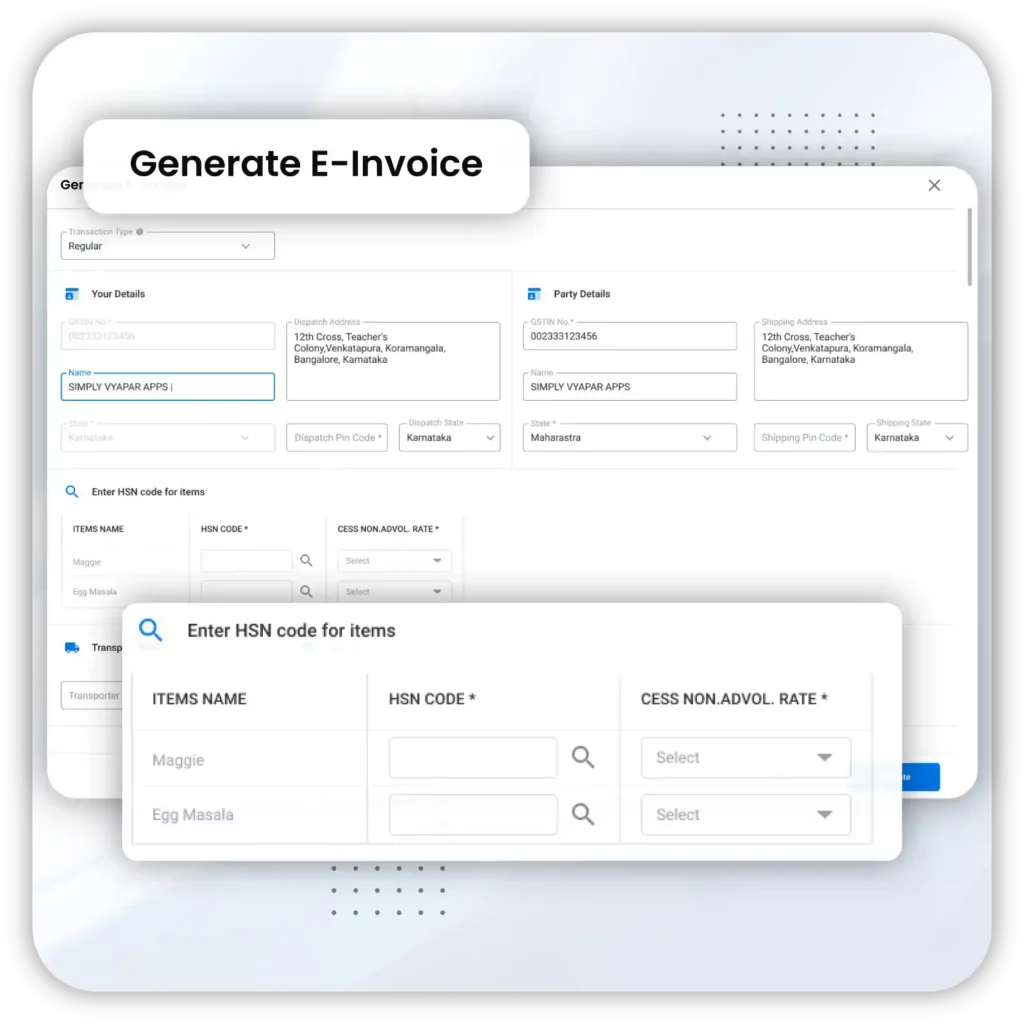
Vyapar’s e-invoicing software automatically fetches invoice details from existing records and populates the required fields. When creating an e-invoice, it pulls customer information, item details, pricing, GST rates, and tax information, reducing the need for manual data entry.
This feature streamlines the invoicing process, reduces manual entry errors, and saves time by ensuring all necessary details are accurately included without needing repetitive input.
GSP Integration
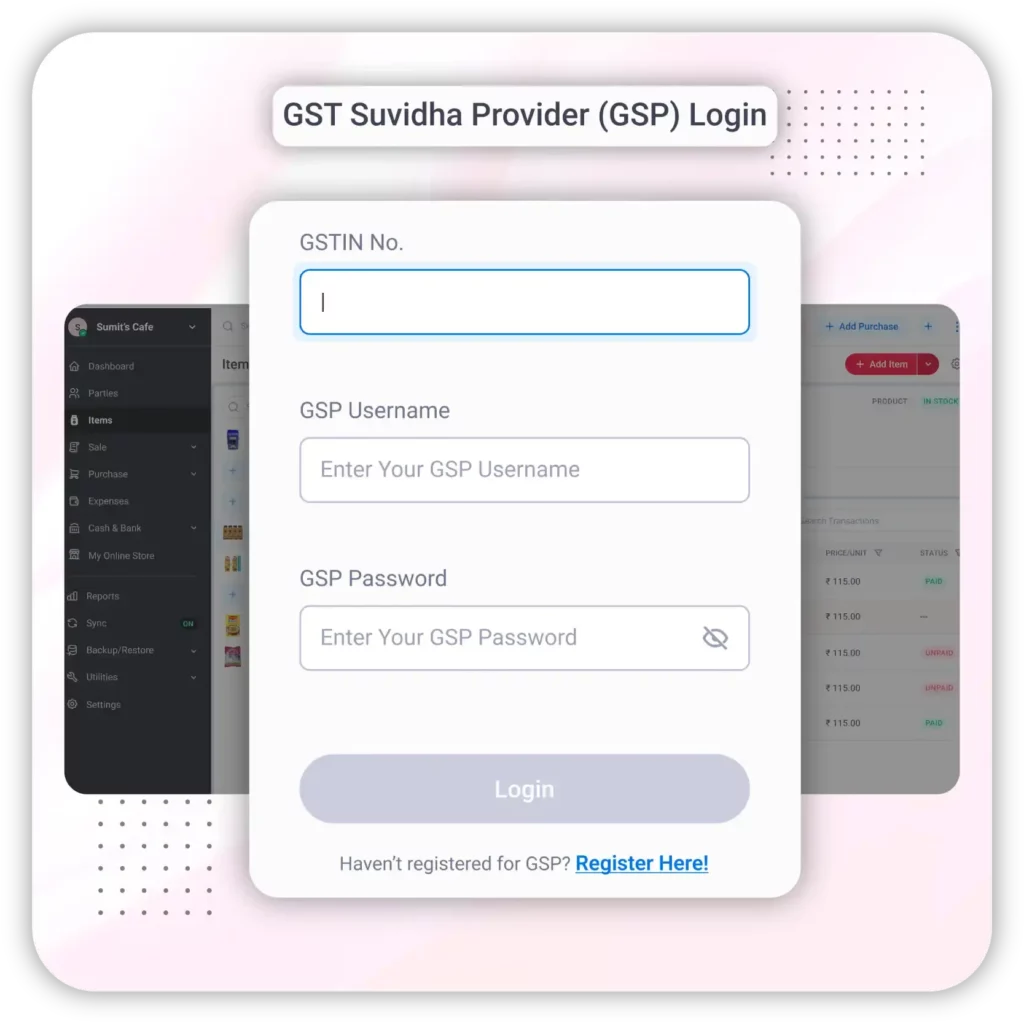
GSP (GST Suvidha Provider) integration connects Vyapar’s e-invoicing software to the government’s Invoice Registration Portal (IRP), so you can submit invoices for e-invoice generation directly from your billing screen.
This integration allows automatic submission and validation of invoice details, ensuring compliance with GST regulations, reducing manual errors, and speeding up the invoicing process through secure, real-time communication with the government’s e-invoicing system.
Invoice Reference Number
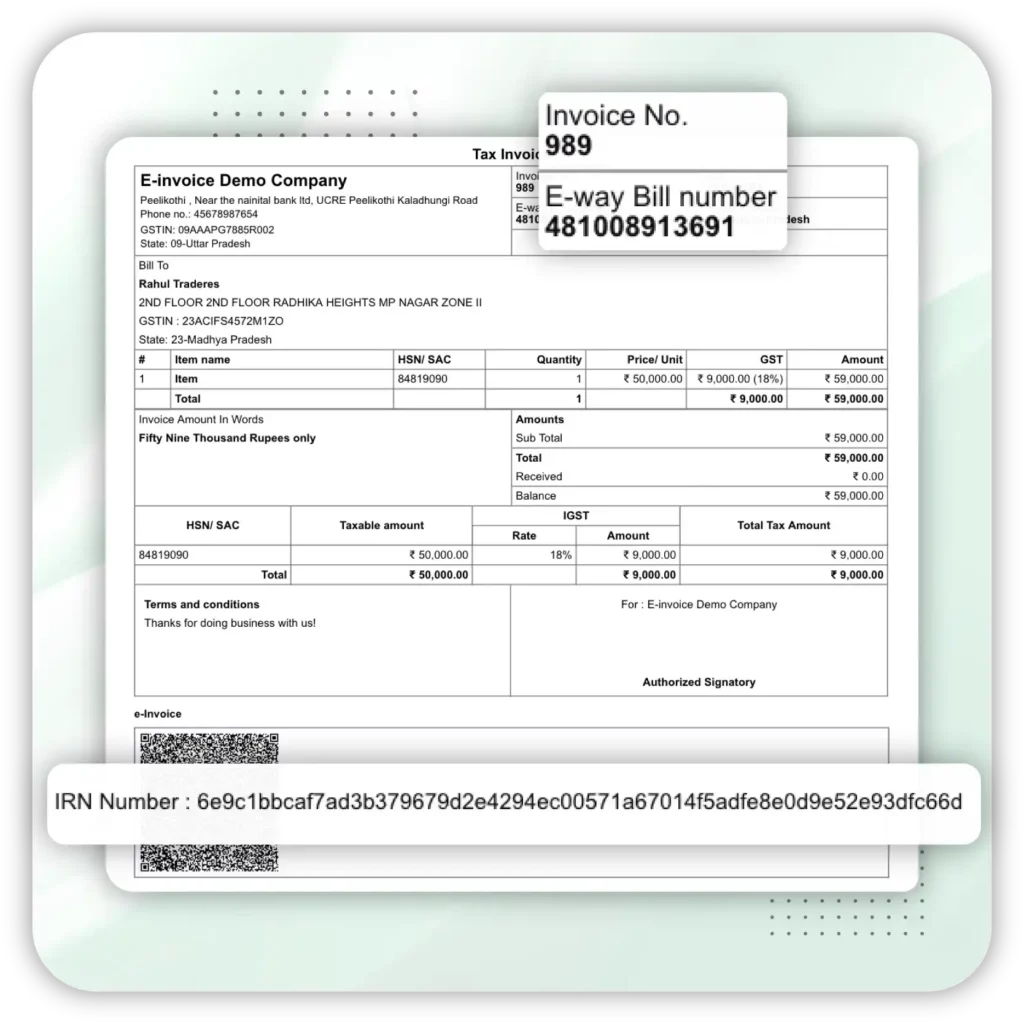
The Invoice Reference Number (IRN) is a unique 64-character number that the Invoice Registration Portal generates for every e-invoice. Vyapar’s e-invoice system fetches the IRN through its GSP integration and adds it to your invoice automatically, so each invoice is distinct and traceable.
The IRN is crucial for tracking, auditing, and complying with regulatory requirements, helping maintain organised records, and preventing invoice duplication or fraud.
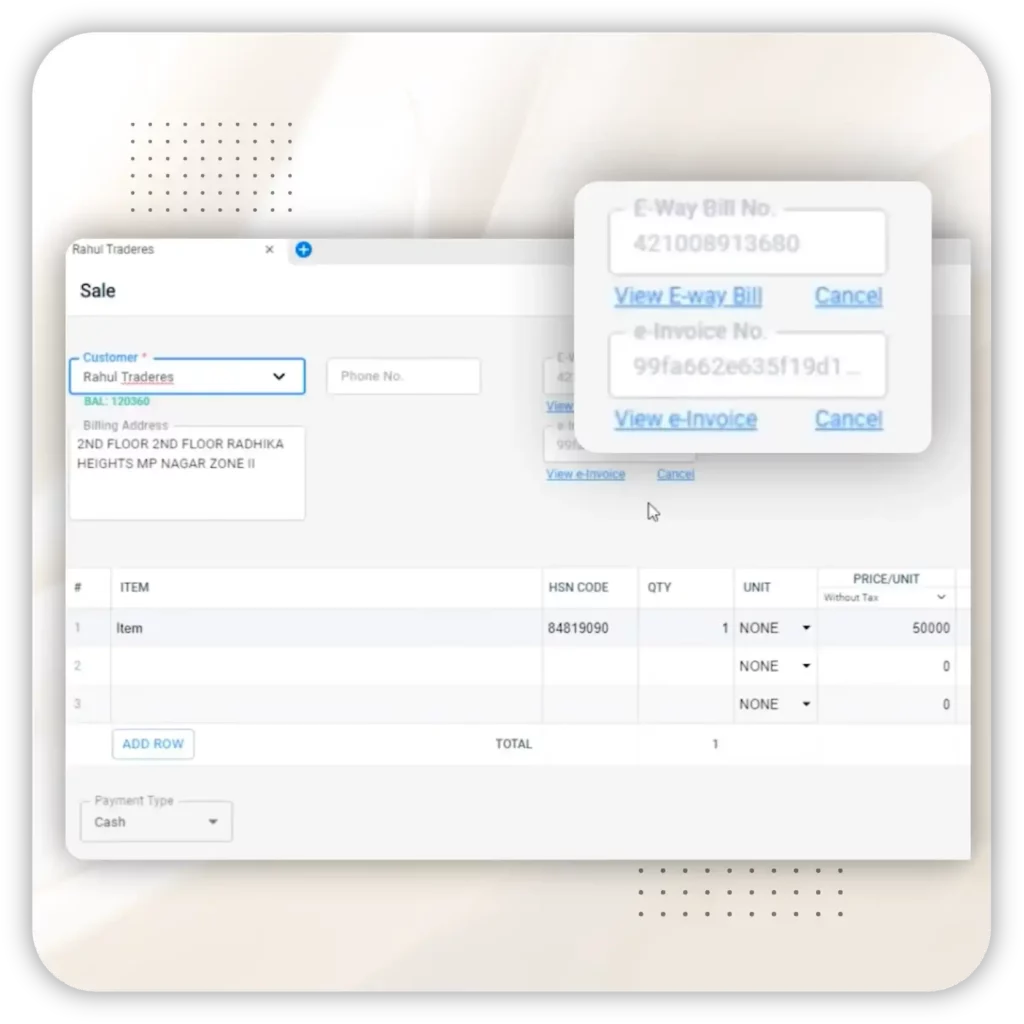
e-Invoice Cancellation
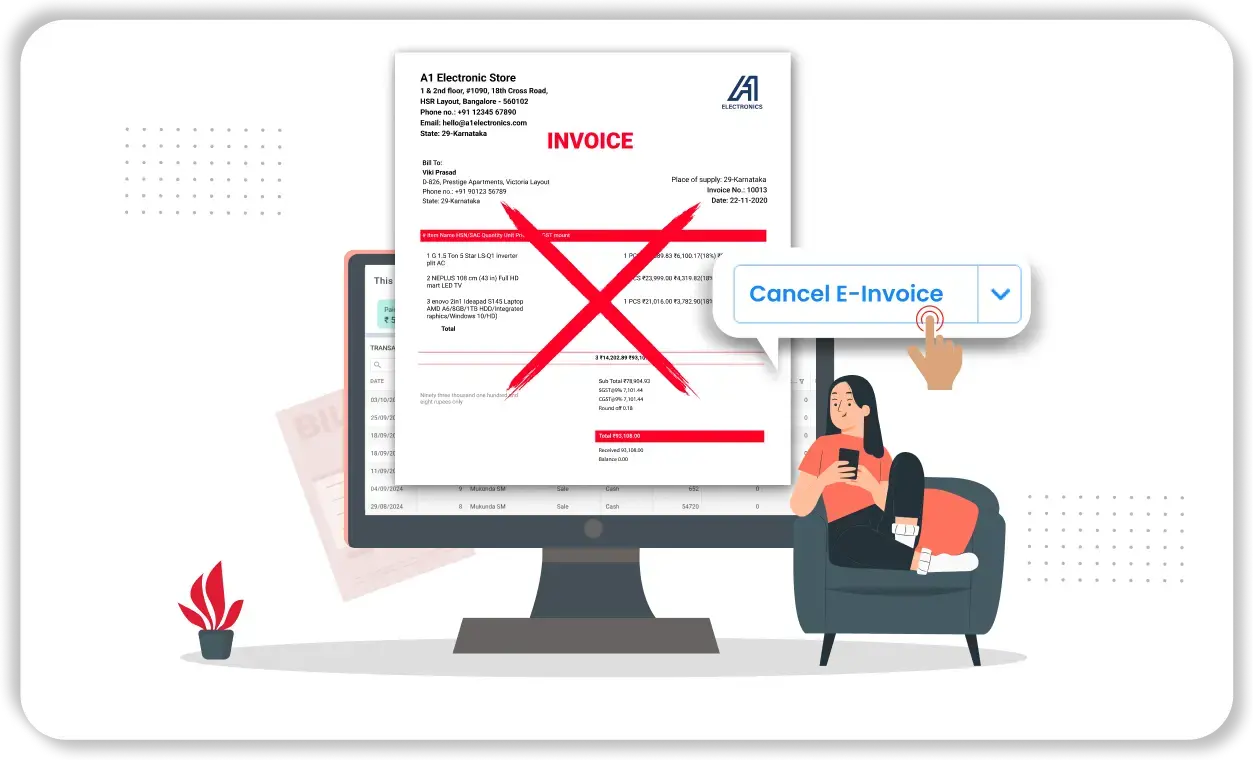
If the created invoice has mistakes or wrong data, the Vyapar e-Invoice software allows users to cancel the generated e-invoice & resubmit with the right invoice. An e-invoice can be cancelled on the IRP only within 24 hours of IRN generation, and only in full.
This feature ensures compliance, corrects errors, and provides flexibility in managing invoices. After 24 hours, corrections must be made by issuing a credit note or debit note instead.
Why Businesses Trust Vyapar for E-Invoicing

1.5 Crore+ Businesses
Trusted by over 1.5 crore businesses across the globe.

Million+ E-Invoices Processed
We’ve facilitated the processing of millions of e-invoices, streamlining finances for countless businesses.

Reduced Processing Time
Experience a significant reduction in invoice processing time with our automated features.
How to Generate an E-Invoice in Vyapar App
Watch how to generate an e-invoice with IRN and QR code in the Vyapar app
Step-by-Step Guide To Generate E-Invoice
Launch Vyapar
Step 1: Open Vyapar Software
• Launch the Vyapar e-invoice Software on your device.
Step 2: Create a Sales Invoice
• Add Party Details: Ensure that the party’s GST details are already added to the system.
• Create Invoice: Generate a sales invoice for the transaction, ensuring it is taxed appropriately.
Create E-Invoice
Step 3: Generate E-Invoice
• Locate E-Invoice Option: Below the transaction details, find and click the “Generate E-Invoice” button.
Step 4: Log in to the E-Invoice System
• Enter Login Details: Log in with your GSP credentials.
• If you do not have GSP login credentials, register on the GSP portal.
• Verify Login: Once you have entered the details, log in to access the e-invoice system.
Verification
Step 5: Verify Invoice Details
• Check Pre-Filled Details: Ensure all the necessary details (seller, transaction, buyer, item details) are correctly filled.
• Mandatory details must be completed, while optional details can be left blank if not applicable.
• Verify Each Section: Confirm that all mandatory sections are marked as verified.
Step 6: Correct Missing or Incorrect Details
• Enter Missing Details: If any section is unverified, enter the missing details (e.g., HSN code of the item).
• Resolve Errors: Check for and resolve errors such as duplicate invoice numbers, incorrect details, or wrong tax codes.
Download
Step 7: Generate E-Invoice
• Click Generate: After verifying and correcting all details, click on the “Generate E-Invoice” button.
• Save E-Invoice: Ensure the e-invoice is saved and note the unique Invoice Reference Number (IRN) and QR code provided.
• Print, Share, or Download: Provides an option to print, download, and share the e-invoice generated via WhatsApp, email, and SMS.
Note: If errors occur during generation (e.g., duplicate e-invoice, incomplete details, wrong tax codes), correct the issues and attempt generation again.
Step 8: Generate E-Waybill (Optional)
From the e-invoice screen, you can also generate an e-waybill if needed.
Cancel and Resubmit
Step 9: Cancel an E-Invoice
• Open Existing Invoice: Locate and open the invoice you wish to cancel.
• View Invoice: Use the “View Invoice” option to see the invoice in the government’s standard format.
• Cancel Invoice: Click the “Cancel” option to cancel the e-invoice.
Note: You can only cancel an e-invoice within 24 hours of generation. After 24 hours, issue a credit note to correct the invoice.
Step 10: Resubmit the E-Invoice
To resubmit, repeat from step 2 and generate.
How the Vyapar E-Invoicing System Works with the IRP
Under GST, an electronic invoicing system does not mean creating invoices on a government website. You create the invoice in your own software, and it is reported to the government’s Invoice Registration Portal (IRP) for validation. Here is what happens when you generate an e-invoice in Vyapar.
-
1
Create the Invoice
Create a sales invoice in Vyapar with the buyer’s GSTIN, items, HSN codes and GST details, just like any other invoice.
-
2
Send to the IRP
When you click Generate E-Invoice, Vyapar sends the invoice data in the government’s standard JSON format to the IRP through a GSP.
-
3
Validate & Generate IRN
The IRP checks the details for duplicates and errors, then generates a unique 64-character Invoice Reference Number (IRN).
-
4
Get Signed QR Code
The IRP digitally signs the invoice and returns a QR code. Vyapar adds the IRN and QR code to your invoice automatically.
-
5
Auto-Report to GST
The IRP shares the e-invoice details with the GST portal to auto-populate GSTR-1, and with the e-way bill system for Part A details.
Steps 2 to 5 happen within seconds and need an internet connection. Want to understand e-invoicing in more detail? Read our guide on what is e-invoicing.
What Details Does an E-Invoice Include?
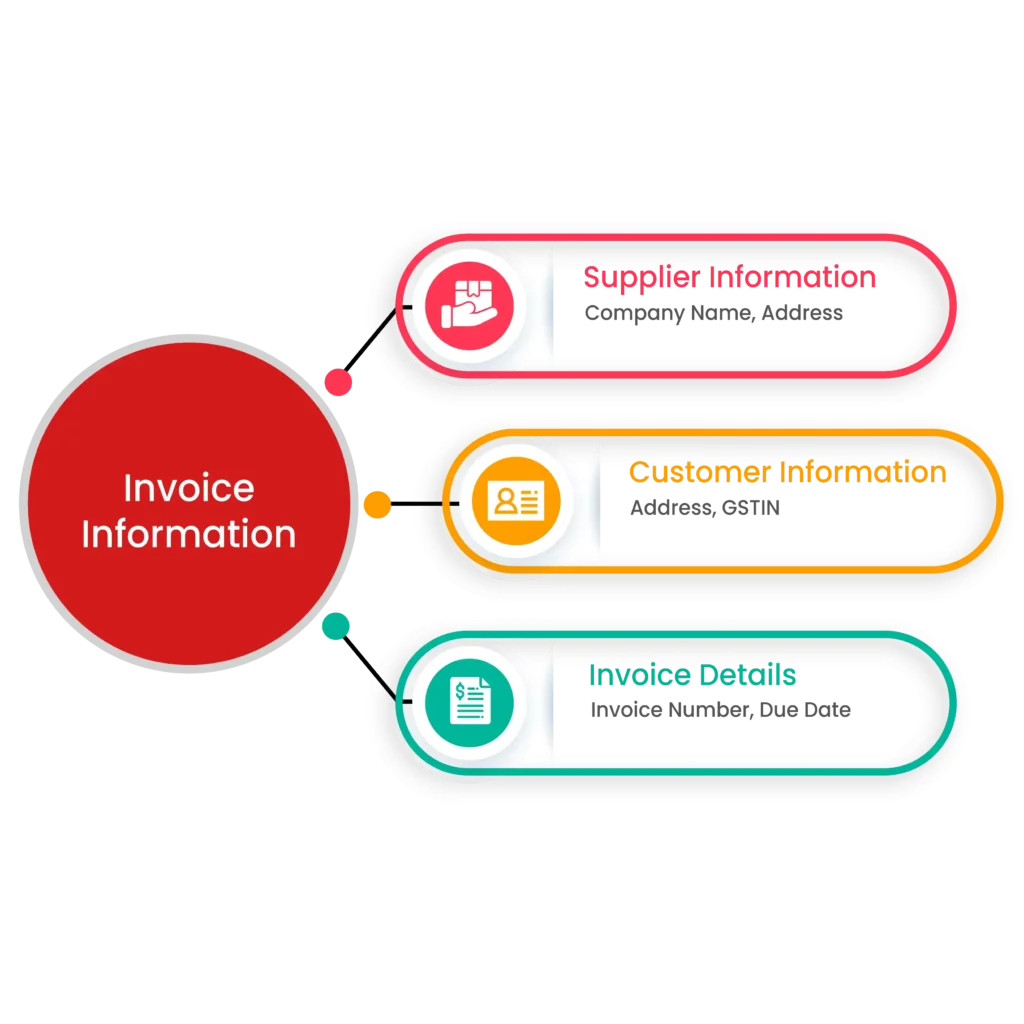
Basic Invoice Information
- Supplier Information: Your company name, address, and GSTIN.
- Customer Information: Buyer’s company name, address, and GSTIN (for B2B invoices).
- Invoice Details: Invoice number, date of issue, and due date.
- Document Type and Place of Supply: Whether the document is an invoice, credit note or debit note, and the state where the supply is made.
Product or Service Details
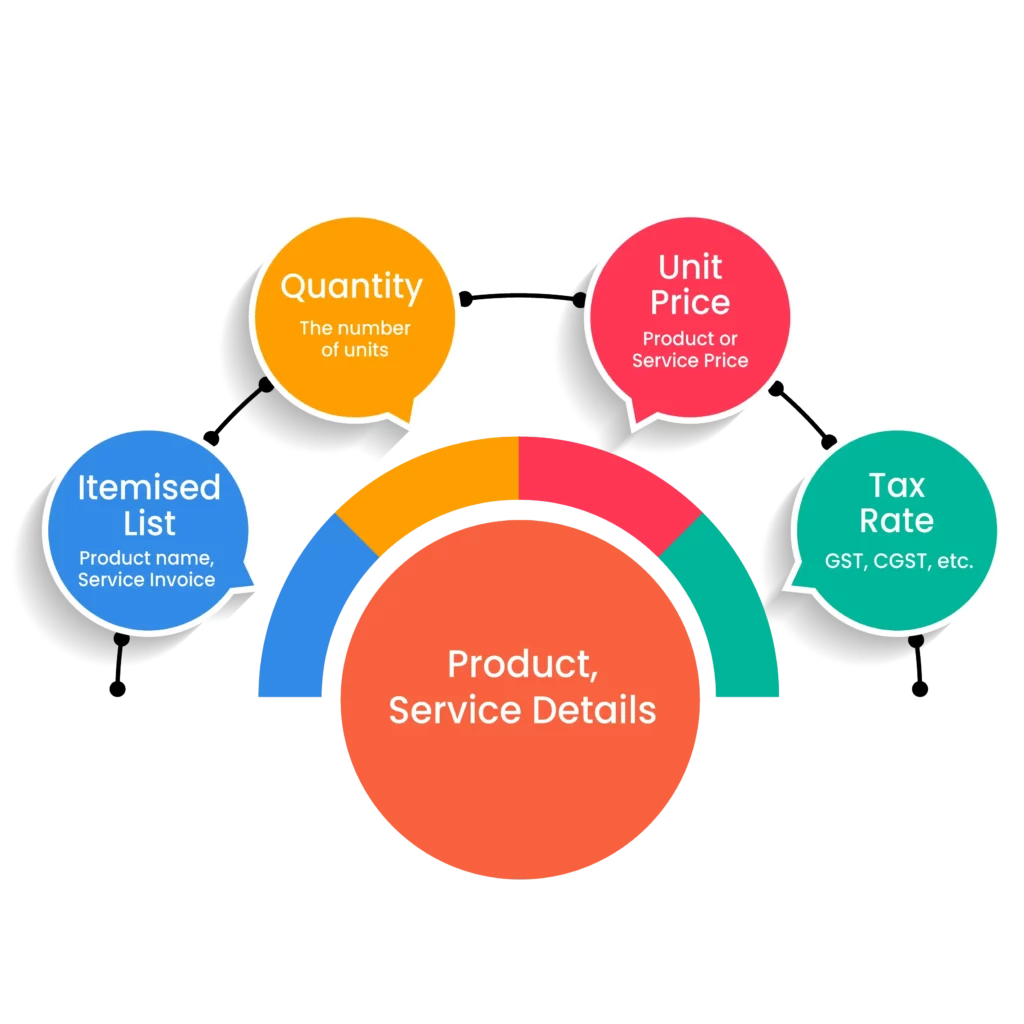
- Itemised list of products or services: Product name or service being invoiced, with its HSN or SAC code.
- Quantity: The number of units of each product or service provided.
- Unit Price: The price per unit of each product or service.
- Tax Rate: Applicable GST rate for each item and the tax amount, shown as CGST and SGST or IGST.
Payment Information
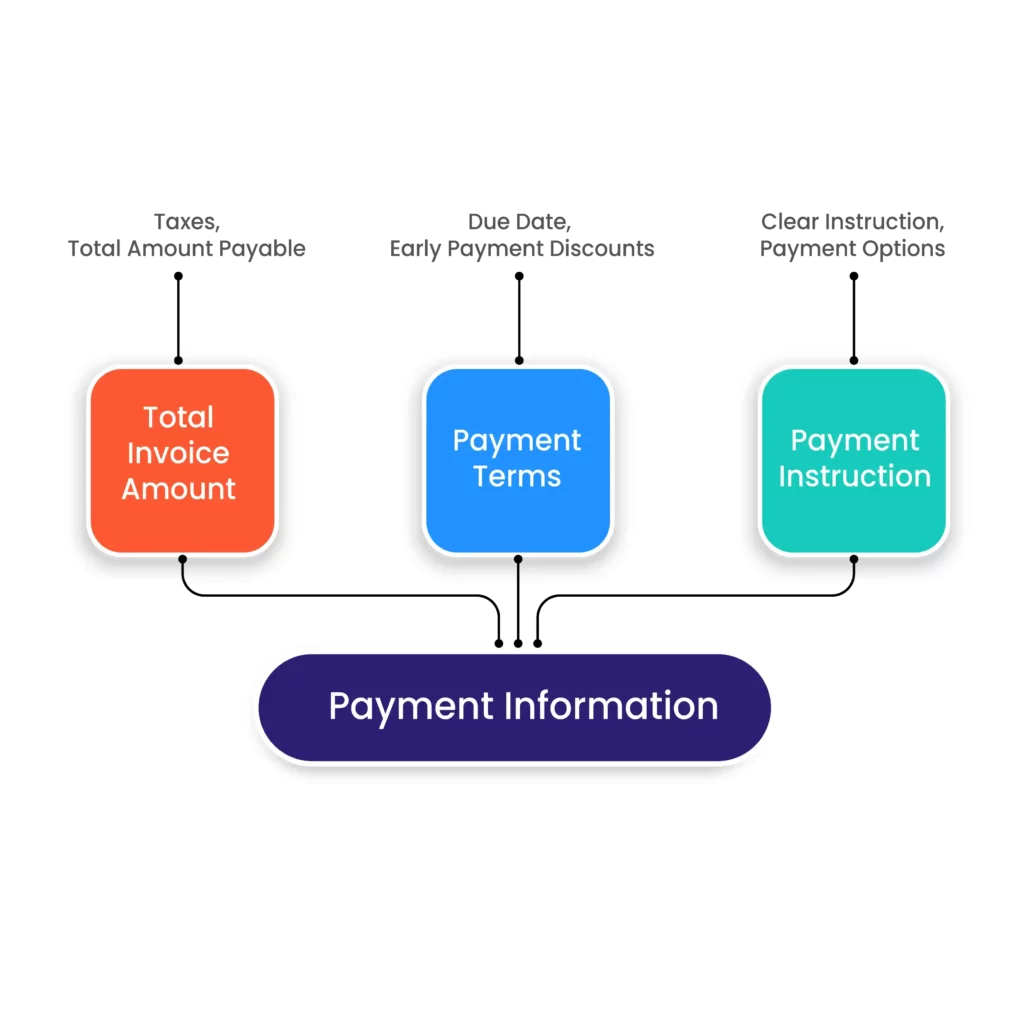
- Total Invoice Amount: The total amount payable, including taxes.
- Payment Terms: Clearly state the payment terms and conditions, such as net due date or early payment discounts.
- Payment Instructions: Set up your bank account and payment details to provide customers with clear methods for payment (e.g., bank details, online portals).
- IRN and Signed QR Code: Added to the invoice automatically after the Invoice Registration Portal validates it.
Free & Affordable Plans for Your Business
Start now, save more, and scale faster with Vyapar’s E-invoicing software packages!
Desktop
Mobile
Desktop
Silver Plan
₹3799/year
Buy for 3 Years – Save ₹2,798 Today!
Perfect for Getting Started
 Everything in Free plan
3 Firm/Business
Multi Device Sync
10 e-Way Bill/Month
WhatsApp Integration
Import Parties
Share with CA

Most Popular
Gold Plan
₹4099/year
Buy for 3 Years – Save ₹3,198 Today!
Great for Small Stores
Everything in Silver plan
5 Firm/Businesses
Item Reports
Unlimited e-Way BIll
Chart of Accounts
Billwise Profit/Loss Reports
Add TCS/TDS on Invoices
Account Statement
Accountant Access
Retail Pro Plan
₹8,999/year
Buy for 3 Years – Save ₹7,198 Today!
Most popular for Growing Businesses
All Gold Plan Features
Unlimited Firms
Unlimited Firm Backups
Stock Transfer Report
GSTR Reports
Vyapar POS & Payments
Partywise Profit/Loss Report
Audit Trial
Platinum Plan
₹9999/year
Buy for 3 Years – Save ₹7,998 Today!
Popular for Large Businesses
Everything in Gold plan
Add Unlimited Businesses
Complete Party Management
Comprehensive Reports
Marketing Tool Access
Import/Export Data (Tally)
Priority Customer Support
Mobile
Free
₹0/year
Perfect for getting started
Audit Trial
GSTR Reports
Expense Tracking
1 Firm/Organization
Invoice & Bill Creation
Silver Plan
₹699/year
Buy for 3 Years – Save ₹598 Today!
Great for Small Businesses
Everything in Free plan
3 Firm/Business
Multi Device Sync
Fixed Assets
WhatsApp Integration
Import Parties
Share with CA
Most Popular
Gold Plan
₹799/year
Buy for 3 Years – Save ₹698 Today!
Most popular for Growing Businesses
Everything in Silver plan
5 Firm/Businesses
Service Reminders
Journal Entries
Chart of Accounts
Account Statement
Accountant Access
Platinum Plan
₹2099/year
Buy for 3 Years – Save ₹998 Today!
Popular for Large Businesses
Everything in Gold plan
Add Unlimited Businesses
Complete Party Management
Comprehensive Reports
Marketing Tool Access
Import/Export Data (Tally)
Priority Customer Support
Generate IRN and QR Code in Seconds with the Vyapar App
E-Invoicing Rules 2026: Who Must Comply, Limits and Timelines
GST e-invoicing comes with specific rules, turnover thresholds, and reporting deadlines. Knowing how the GST e-invoicing system works can help businesses generate compliant e-invoices and avoid unnecessary compliance issues.
Mandatory Turnover Threshold
Businesses with an aggregate annual turnover exceeding ₹5 crore in any financial year since FY 2017-18 must comply with GST e-invoicing requirements and generate e-invoices for applicable transactions. Once this limit is crossed, e-invoicing continues to apply even if turnover falls later.
Transactions Covered Under E-Invoicing
E-invoicing applies to B2B invoices, export invoices, debit notes, and credit notes issued by eligible businesses. These documents must be reported to the Invoice Registration Portal (IRP) to obtain a valid IRN and QR code. B2C invoices are not covered.
30-Day Reporting Rule for Large Businesses
As per latest GST e-invoicing reporting rule, from 1 April 2025, businesses with an Annual Aggregate Turnover (AATO) of ₹10 crore or more must report e-invoices, debit notes, and credit notes to the IRP within 30 days of the document date. Older documents will be rejected for IRN generation. Businesses with AATO between ₹5 crore and ₹10 crore are not yet covered by this limit, but should still report invoices promptly.
E-Invoice Cancellation Time Limit
An e-invoice can be cancelled on the IRP only within 24 hours of IRN generation, and only in full (partial cancellation is not allowed). After this period, businesses must use a credit note or debit note to make corrections under GST rules.
IRN and QR Code Are Mandatory
Every valid GST e-invoice must contain a unique Invoice Reference Number (IRN) and a digitally signed QR code generated by the Invoice Registration Portal. Without a valid IRN, the invoice is not considered a valid e-invoice.
E-Way Bill Integration for Goods Movement
When the movement of goods requires an e-Way Bill, businesses can generate it alongside the e-invoice using the IRN, with Part A details filled from the invoice data. This helps streamline compliance, transportation documentation, and GST reporting.
Who Is Exempt from E-Invoicing
Some taxpayers do not need to generate e-invoices even above the turnover limit. These include SEZ units, insurance companies, banking companies and financial institutions (including NBFCs), goods transport agencies, passenger transport services, multiplex cinema admission services, and government departments and local authorities.
Two-Factor Authentication for Portal Login
From 1 April 2025, two-factor authentication is mandatory for all taxpayers when logging in to the e-invoice and e-way bill portals, adding an extra layer of security to your GST e-invoicing system access.
What Happens If You Don’t Comply
For businesses covered by e-invoicing, an invoice issued without a valid IRN is not treated as a valid tax invoice. Your buyer may be unable to claim input tax credit on it, and penalties can apply under GST law.
Why Choose Vyapar as Your Electronic Invoicing Software
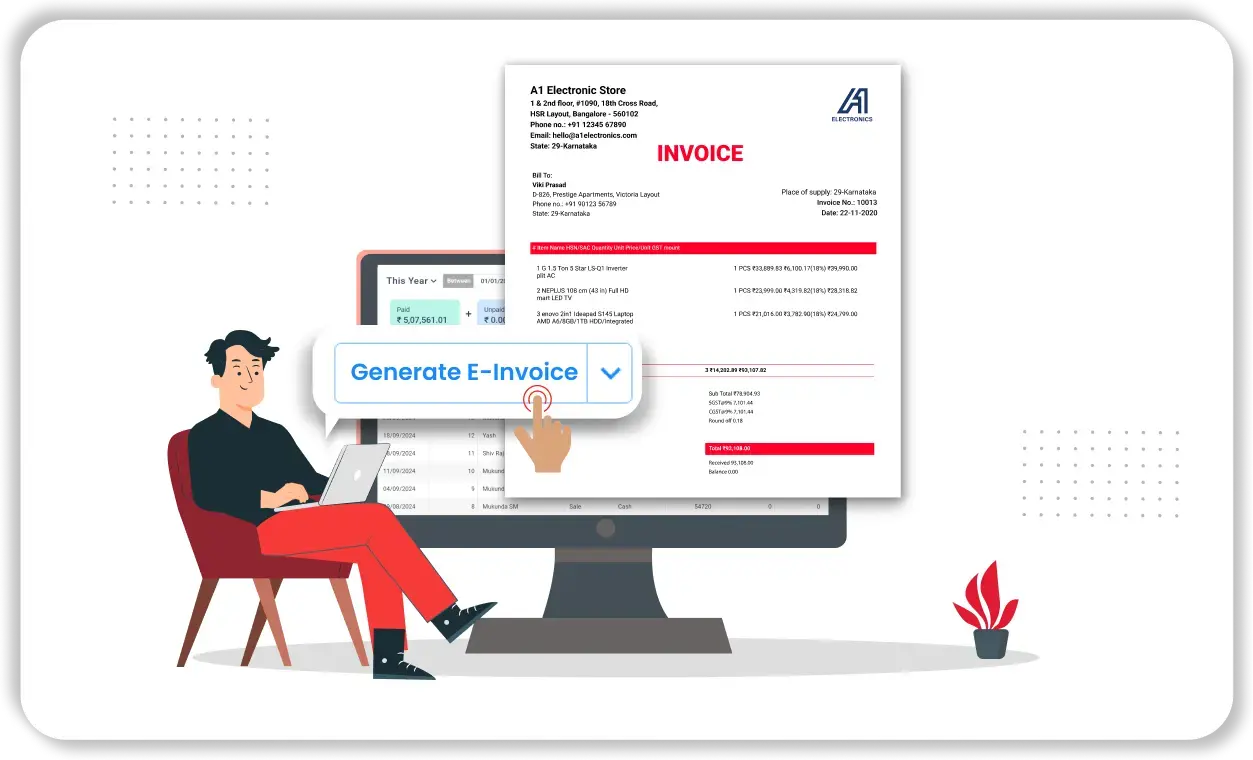
Quick and Easy E-Invoice Creation
- Streamlined process: Vyapar simplifies the e-invoice creation process, making it easy for businesses to generate invoices efficiently.
- Time-saving: By automating many of the manual tasks involved in invoicing, Vyapar electronic invoicing software helps businesses save time and resources.
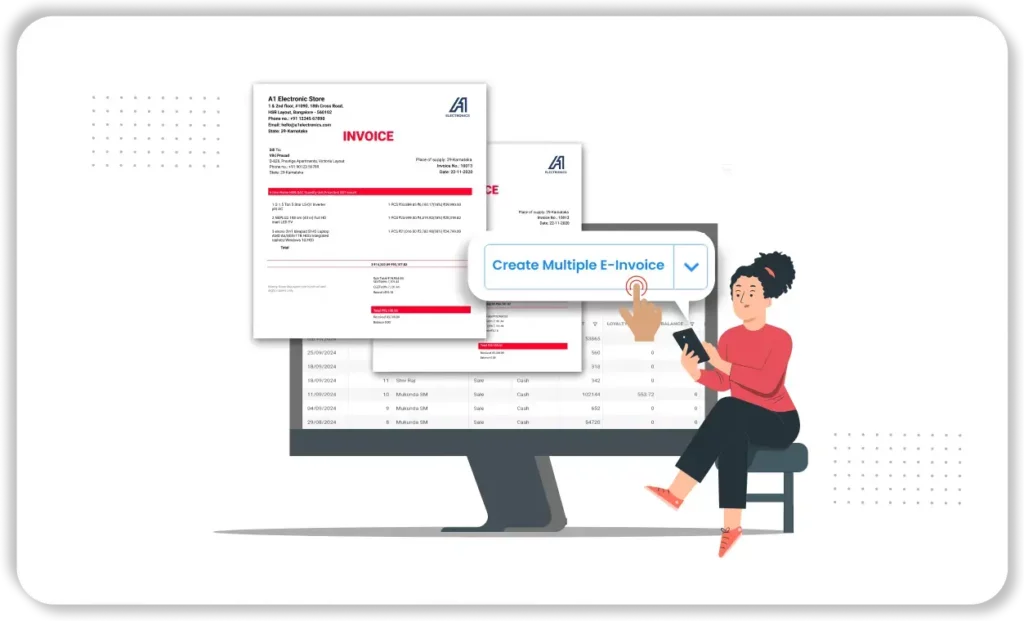
Generate Multiple E-Invoices
- Bulk creation: Vyapar electronic invoicing system allows you to create multiple e-invoices of your sales, saving you time and effort.
- Customisation: You can customise your invoices to match your business branding and requirements.
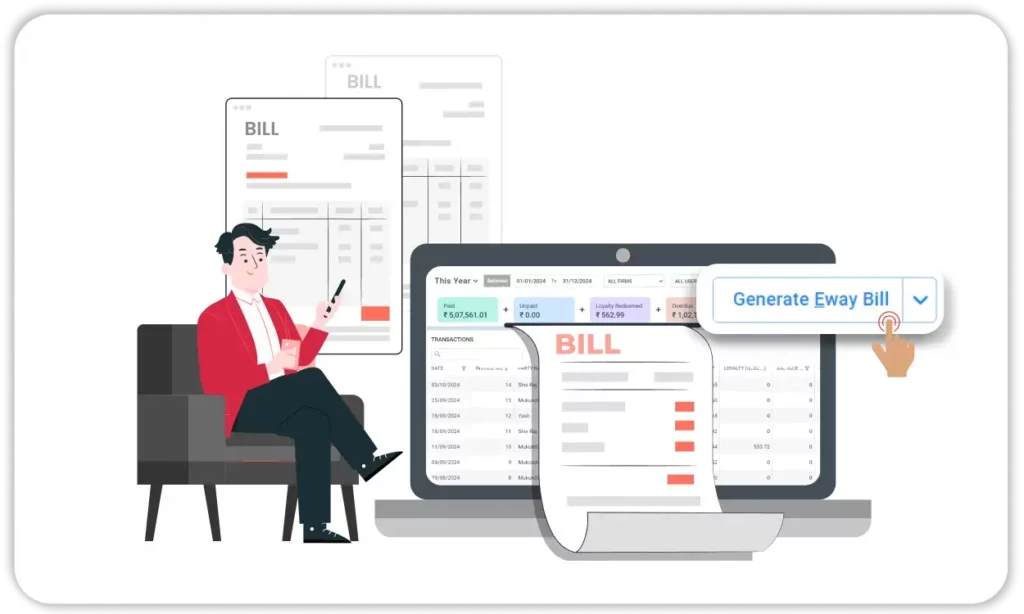
Generate E-way Bills
- Integrated solution: Vyapar’s e-way bill generation feature works smoothly with the e-invoicing system. This offers a complete solution for your business.
- Compliance: E-way bills are generally required when goods worth more than ₹50,000 are transported, and Vyapar helps you create them from your invoice details without re-entering data.
Cancel E-Invoices
- Flexibility: Vyapar e-invoicing software offers a simple and efficient process for cancelling an e-invoice.
- Error Correction: If an e-invoice has an error, cancel it within 24 hours and generate a corrected one with our e-invoice system. After 24 hours, issue a credit note instead.
All-in-One E-Invoicing Software for Business Management

Multiple Features
Vyapar’s GST e-invoicing software offers small businesses features like multi-invoice formats, sales reporting, inventory management solution, data storage, and GST bill printing, making it a versatile tool for various business needs.

People-Efficient
Growing businesses often manage compliance with a small team. Vyapar’s GST e-invoicing system keeps your business organised and synced across devices, updating data in real time.

Easy-To-Use
E-invoicing rules can feel complex. Vyapar simplifies e-invoicing and account management for MSMEs, so anyone on your team can generate e-invoices, regardless of their accounting experience.

Better Control and Invoicing Procedure
Vyapar’s e-invoicing software solution centralises your invoices, accessible anytime on any device. Its business dashboard and automated reports offer real-time insights into your cash flow and financial health.

Track Invoices Easily
Vyapar’s electronic invoicing system simplifies invoice tracking, allowing you to monitor sending, viewing, and payment status. The business dashboard tracks pending payments and sends payment reminders to maintain cash flow.

Seamless Auditing
Vyapar’s e-invoice system lets you manage estimates, expenses, and invoices from one place. Easily handle multiple businesses or clients by adding them to a single account for streamlined management.
Benefits of Using Vyapar’s E-Invoice System
Saves Time and Cost
Vyapar’s e-invoice software boosts productivity by eliminating unnecessary steps, saving time for you and your customers. It also cuts costs related to paper, printing, postage, and manual handling, resulting in long-term savings for your business.
Curbs Tax Evasion
E-invoicing under GST helps prevent tax evasion by providing real-time billing data and reducing invoice manipulation. Vyapar’s e-invoicing system minimises fake GST invoices and ensures legitimate ITC claims, aiding tax officials in detecting fake input tax credits.
Brings Simplicity
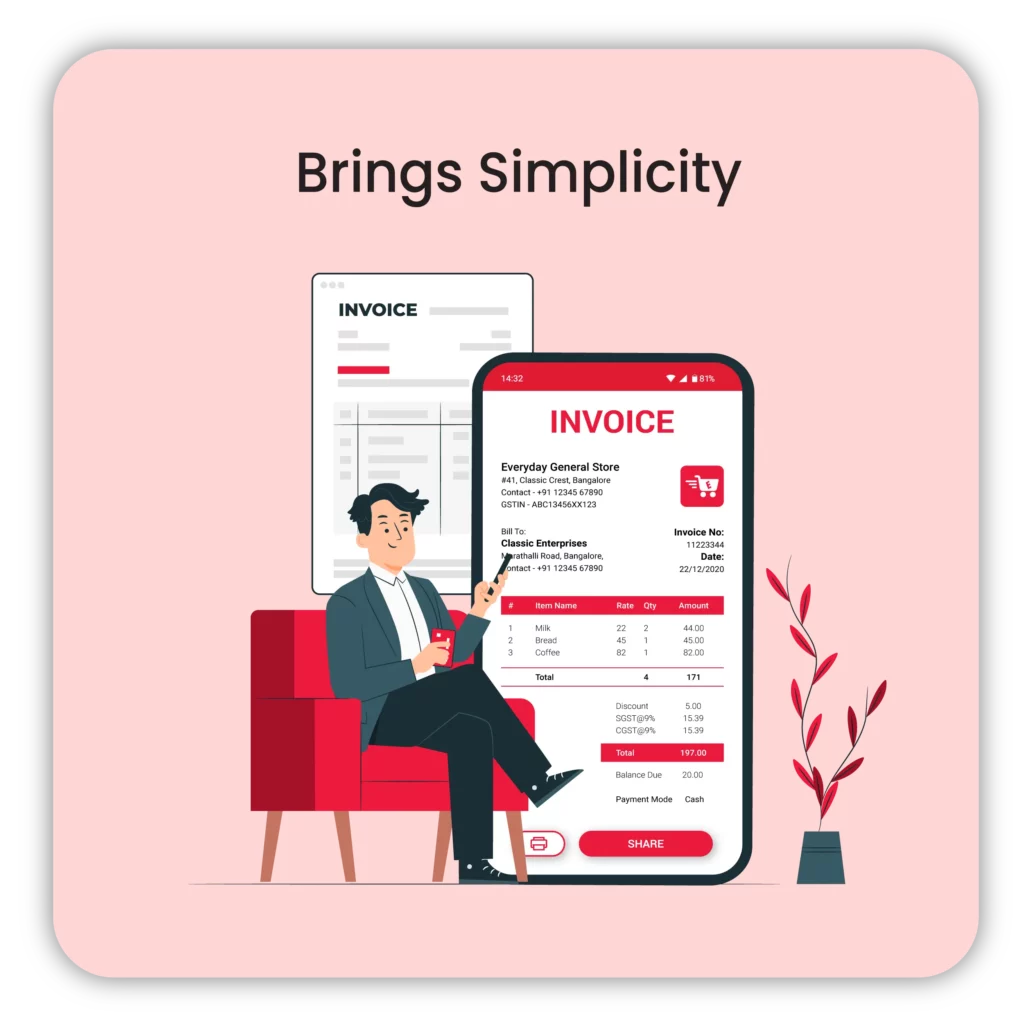
Generating e-invoices is complex, but Vyapar’s free e-invoice software simplifies it, taking only 2 minutes. The software stores invoices, generates reports, automates inventory tracking, and offers multiple payment methods, eliminating the need for multiple apps. Save client data in the cloud and create invoices with a click.
Reduces Error
Vyapar’s e-invoicing system automates billing and tax calculations and validates required fields before submission, so fewer invoices are rejected by the IRP. Manual methods often lead to mistakes, even with experienced users.

Improves Brand Identity
Cloud-based billing software strengthens brand identity by allowing customisation of logos, colours, and fonts to reflect your brand’s tone. This enhances prompt payments by integrating your brand into the billing system. Vyapar’s e-invoicing software offers tools for personalised invoice creation to suit your requirements.

Simplified Administration
Successful cash flow management involves automating one’s invoicing process and reducing administrative costs. Compared to a manually prepared bill from scratch, quick and automated invoice processing software like Vyapar reduces the margin of error. This can also save the firm much time, which the firm can put towards other critical corporate tasks.
E-Invoicing Solutions for Growing and Multi-Branch Businesses
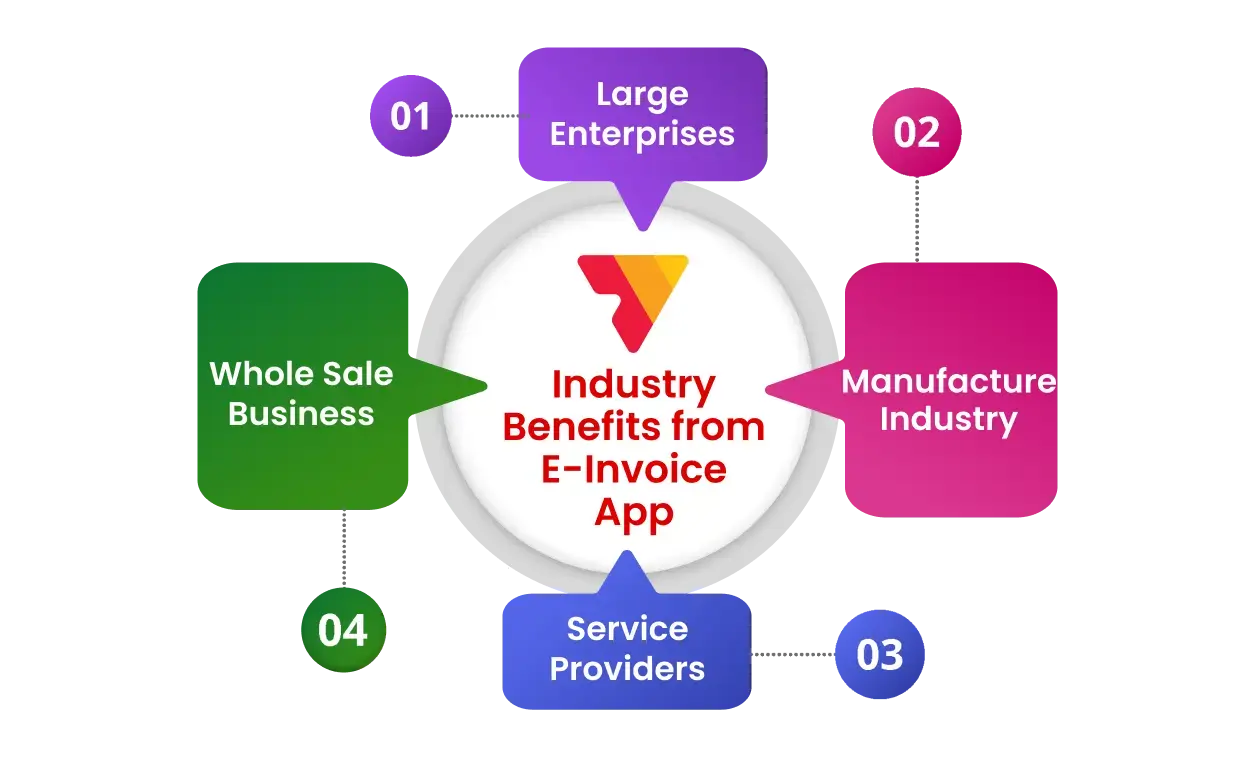
E-invoicing becomes mandatory once a business crosses ₹5 crore in annual turnover, which is usually when it has more customers, more invoices and often more than one branch or firm. Vyapar’s e-invoicing solutions are built for this stage: you can manage multiple firms from one account, give your team role-based access, generate multiple e-invoices together, create e-way bills from invoice data, and share GSTR reports with your accountant, all in one app.
Here is how different types of businesses use Vyapar’s GST e-invoicing software:
- Large Enterprises: Helps manage a high volume of transactions efficiently.
- Small and Medium Enterprises (SMEs): Simplifies invoicing, reducing the burden on limited staff.
- Manufacturers: Streamlines the supply chain and maintains proper records for GST.
- Wholesale Businesses: Enhances efficiency and speed in generating invoices.
- Service Providers: Simplifies service invoicing and ensures compliance.
For example, a manufacturer can avoid manual entry errors by generating e-invoices and e-way bills from the same sales invoice, while a distributor billing many retailers each day can turn sales into valid e-invoices faster and keep GSTR-1 data ready for filing.
Ensure Real-Time GST Compliance with Vyapar’s E-Invoicing Software
Vyapar e-invoice generation software helps businesses follow government rules easily. This is especially important for India’s Goods and Services Tax (GST) requirements.
E-invoicing is a system created by the Indian government under Rule 48(4) of the CGST Rules. It aims to make reporting invoices under GST easier and more uniform. Here’s how Vyapar’s e-invoicing software solutions ensure compliance with these government regulations:
1. Real-Time Integration with GST Portal
- Vyapar’s e-invoicing system connects with the government’s Invoice Registration Portal (IRP). This connection is essential for creating valid e-invoices. It allows businesses to upload invoices in real-time, ensuring that they instantly register all transactions with the government.
- When Vyapar generates an invoice, the software sends it directly to the IRP for validation. Once validated, the portal gives a unique Invoice Reference Number (IRN) and a QR code for the invoice. The system automatically adds these to the invoice created through Vyapar.
2. Automatic Generation of IRN and QR Code
- Government rules state that every invoice must have a unique IRN and a QR code to be an e-invoice. Vyapar’s electronic invoice software automatically incorporates these elements into invoices to meet compliance requirements.
- The QR code has important information. It includes the supplier’s GSTIN, the buyer’s GSTIN, the invoice value, and more. Authorities or other parties can scan and verify this information.
3. Adherence to Standard E-Invoice Schema
- The government mandates that all e-invoices follow a specific format or schema, which includes mandatory fields and structures. Vyapar e-invoicing software uses a standard format. This ensures that you fill out all required fields correctly. It also helps submit invoices according to the e-invoice rules set by the GST Council.
- Vyapar software updates automatically to accommodate any changes in the schema or government requirements, ensuring ongoing compliance.
4. GST Compliant Fields and Calculations
- Vyapar GST billing software makes sure that all the information needed for GST compliance is in the invoice. This includes HSN codes, GST rates, and tax breakdowns. It also does accurate calculations automatically.
- The software helps businesses use the right GST rates for each product or service. This reduces errors and makes compliance easier.
5. Direct Upload to GST Returns
- Details of e-invoices reported to the IRP are auto-populated in your GST returns (GSTR-1) on the GST portal. This makes filing easier and keeps the data accurate and up to date.
- Vyapar’s GSTR reports help you match your e-invoice data with your return before filing, making monthly or quarterly filing easier and quicker.
6. Auto-Updating Features for Compliance Changes
- Government agencies frequently update regulations around GST and e-invoicing. Our team frequently updates the Vyapar GST e-invoicing software. This helps businesses stay compliant. They do not need to change their sales invoice formats or processes manually.
- By keeping up with the latest government guidelines, Vyapar helps users avoid penalties. This prevents problems that can come from using old systems.
7. B2B and B2G Compliance
- Vyapar’s e-invoicing software meets the rules for both B2B (Business to Business) and B2G (Business to Government) transactions. This makes it easier for businesses to work smoothly across different sectors.
- It offers tools to create invoices that other businesses and government departments accept. This ensures that transactions are standard and follow national rules.
8. Audit Trail and Record Keeping
- Government regulations require businesses to maintain accurate and detailed financial records. With an integrated accounting system, every invoice is automatically recorded and organised, making transactions easy to track and simplifying audits and compliance.
- The electronic invoicing system stores all e-invoices safely. This makes it easy to access them later. Easy access is important for businesses during audits by tax authorities.
What Businesses Say About Vyapar E-Invoicing Software

Google Play


Taj Trading Co.
Retailer
Excellent
Since 2022, I’ve been using Vyapar, and it’s fantastic. Upgrading to the premium mobile app was a wise choice, particularly for shop staff who aren’t familiar with using computers. The app is user-friendly, and the inclusion of e-invoicing functionality is a significant advantage.


Hema Srivastava
Distributor
Easy & Economical
I’ve been using the Vyapar app for invoicing since I came across it, and I really like it. It’s incredibly user-friendly and easy to get on with it. I’m proud to use Vyapar, as it offers a cost-effective invoicing solution compared to other industry applications. Thank you, Vyapar!

G2

Gaurav B
FMCG Retail
Best Software
Vyapar software provides SMEs with a secure, easy-to-use platform for invoicing and GST filing. With multi-user management, it handles GST challenges while promoting seamless team collaboration, ensuring efficient business operations.

Jigyasu P
Manufacturer
Easy to use
It saved me a lot of time from my accounting tasks by automating the entire process. Generates compliant e-invoices in seconds, with automated reminders, no need to forget about the payments, and it has helped to grow my business. If you’re struggling to create e-invoicing, Vyapar is your lifesaver.”

Capterra

Jeevan SK
Retailer
Great Accounting Experience
Vyapar is my go-to tool for creating e-invoices! It keeps my finances organised and GST filing easy with its reports. Gone are the days of manual e-invoice creation and chasing down due dates. Vyapar automates the entire process, ensuring compliance and timely payments for me.

Rizwan A
Plastic Distributor
Height of Excellency
Vyapar’s become an essential part of the team. For two years, it’s handled everything from streamlining e-invoicing to keeping inventory in check. Generating compliant e-invoices is as easy as using your phone, and Vyapar keeps things sharp with constant updates, ensuring compliance with the latest e-invoicing regulations.
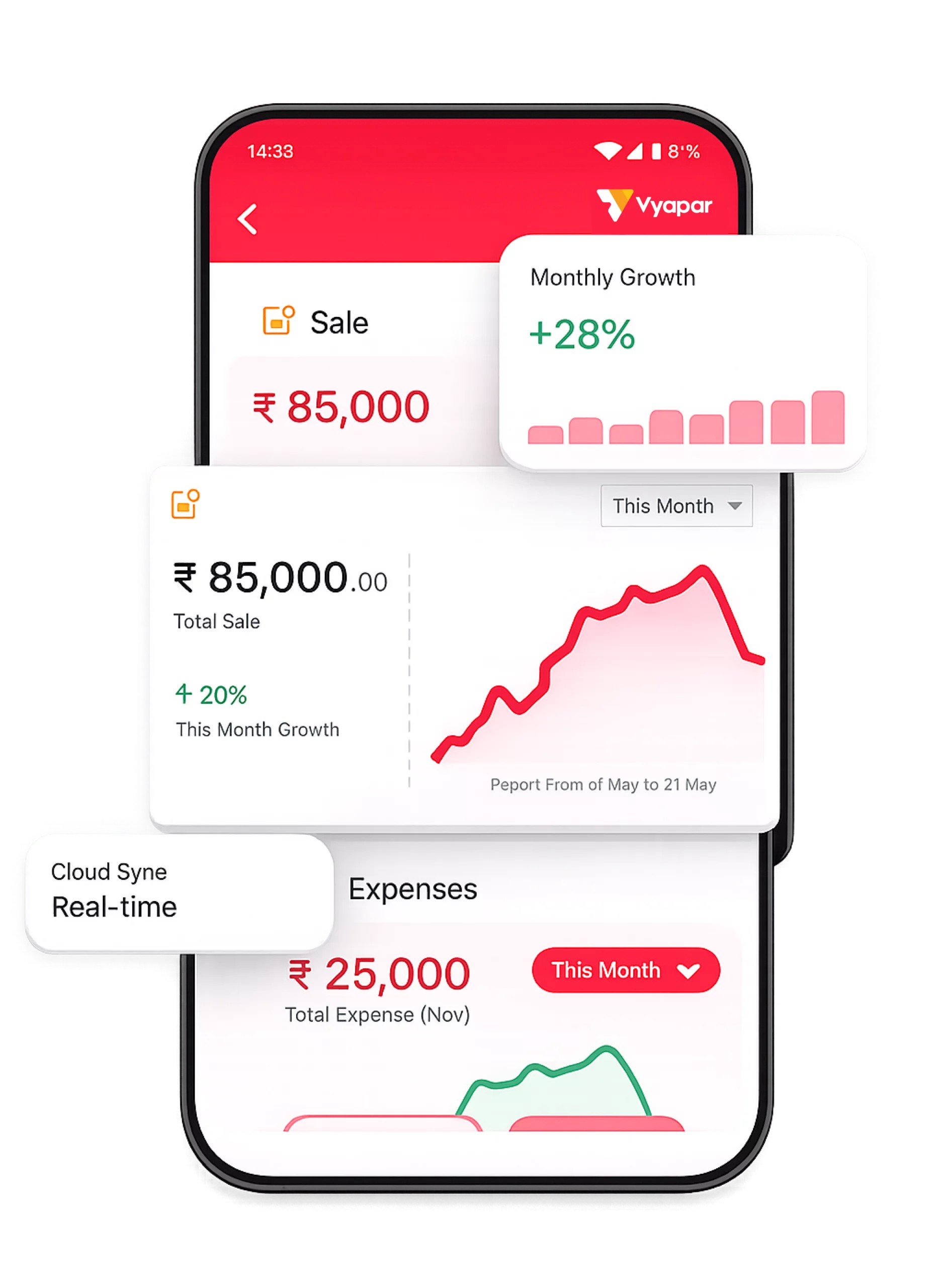
Generate E-invoices Anytime, Anywhere
Generate GST-compliant e-invoices, get the IRN and QR code, and manage your business from anywhere using the Vyapar mobile app.
IRN & QR Codes
Invoice Tracking
Party Management
Fast & Easy to Use
1.5cr+
Downloads
4.8⭐
App Rating
24/7
Access
Frequently Asked Questions About GST E-Invoicing Software
E-invoicing software helps businesses generate, manage, and submit GST-compliant electronic invoices. It automates invoice validation, IRN generation, and QR code creation, helping businesses reduce manual work and comply with GST e-invoicing requirements.
E-invoice generation begins when a business creates an invoice using e-invoicing software. The invoice details are submitted to the IRP for validation, which then generates an Invoice Reference Number (IRN) and QR code. Once approved, the invoice becomes a valid GST e-invoice, and its details are shared with the GST portal to auto-populate GSTR-1.
An invoice is a document issued for a sale transaction, while an e-invoice is electronically validated through the GST e-invoicing system. An e-invoice contains a unique IRN and QR code generated by the Invoice Registration Portal, making it GST-compliant for applicable businesses.
IRN (Invoice Reference Number) is a unique 64-character number generated by the Invoice Registration Portal for every valid e-invoice. It is based on the supplier GSTIN, document type, document number and financial year, so the same invoice cannot be registered twice.
An e-invoice is a B2B or export invoice validated by the Invoice Registration Portal, carrying an IRN and QR code. An e-way bill is a document needed when goods are transported, generally when the consignment value is above ₹50,000. In Vyapar, you can generate the e-way bill from the e-invoice screen, as its Part A details are taken from the e-invoice.
Businesses required to comply with GST e-invoicing regulations need e-invoicing software to generate valid electronic invoices. It is commonly used by manufacturers, wholesalers, distributors, exporters, and other businesses that issue B2B invoices.
E-invoicing is mandatory for GST-registered businesses whose aggregate annual turnover has exceeded ₹5 crore in any financial year from 2017-18 onwards, unless they fall in an exempt category such as banks, insurance companies, NBFCs, SEZ units, goods transport agencies or passenger transport services. Once it applies, it continues even if turnover falls later.
Yes. Vyapar helps businesses generate GST-compliant e-invoices with automatic IRN generation and QR code creation. It simplifies GST e-invoicing while helping businesses maintain accurate invoice records.
You can generate an e-invoice in Vyapar by creating a GST invoice, selecting a GST-registered customer, and submitting the invoice through the integrated e-invoicing system. The software automatically generates the IRN and QR code after successful validation.
Yes. Vyapar automatically generates the Invoice Reference Number (IRN) and QR code after invoice validation through the GST e-invoicing system, helping businesses create compliant e-invoices faster.
Yes. Vyapar allows businesses to manage accounting and e-invoicing from a single platform. It helps track sales, expenses, ledgers, GST reports, profit and loss statements, and other financial records.
Yes. Vyapar allows users to manage multiple businesses and GSTINs from a single account, making it easier for business owners, distributors, and enterprises to manage e-invoicing across different business entities.
Yes. Vyapar is available on both mobile and desktop, allowing businesses to create e-invoices, manage records, track inventory, and access reports from anywhere.
The best e-invoicing software should help businesses generate GST-compliant e-invoices, automate IRN generation, create QR codes, and simplify daily business operations. Vyapar is a popular choice because it combines e-invoicing, accounting, inventory management, and business reporting in one easy-to-use software.
When choosing e-invoicing software, look for GST compliance, automatic IRN generation, QR code creation, inventory management, accounting integration, business reports, and ease of use. A complete electronic invoicing software should help manage both invoicing and day-to-day business operations.
Vyapar helps businesses simplify GST e-invoicing with automatic IRN generation, QR code creation, inventory management, accounting tools, and business reports. Its easy-to-use interface and all-in-one business management features make it a preferred e-invoicing software for Indian businesses.
Yes. Businesses with an Annual Aggregate Turnover (AATO) of ₹10 crore or more must report eligible invoices to the Invoice Registration Portal (IRP) within 30 days of the invoice date. Invoices reported after this period cannot be processed for IRN generation. Businesses with AATO between ₹5 crore and ₹10 crore are not yet covered by this limit.
No. An e-invoice can be cancelled on the IRP only within 24 hours of IRN generation, and only in full. After 24 hours, you need to issue a credit note or debit note to correct the invoice.
Yes. Generating an e-invoice requires an internet connection because the invoice details are sent to the Invoice Registration Portal for validation, and the IRN and QR code are returned from there in real time.





